What is Website Designing?
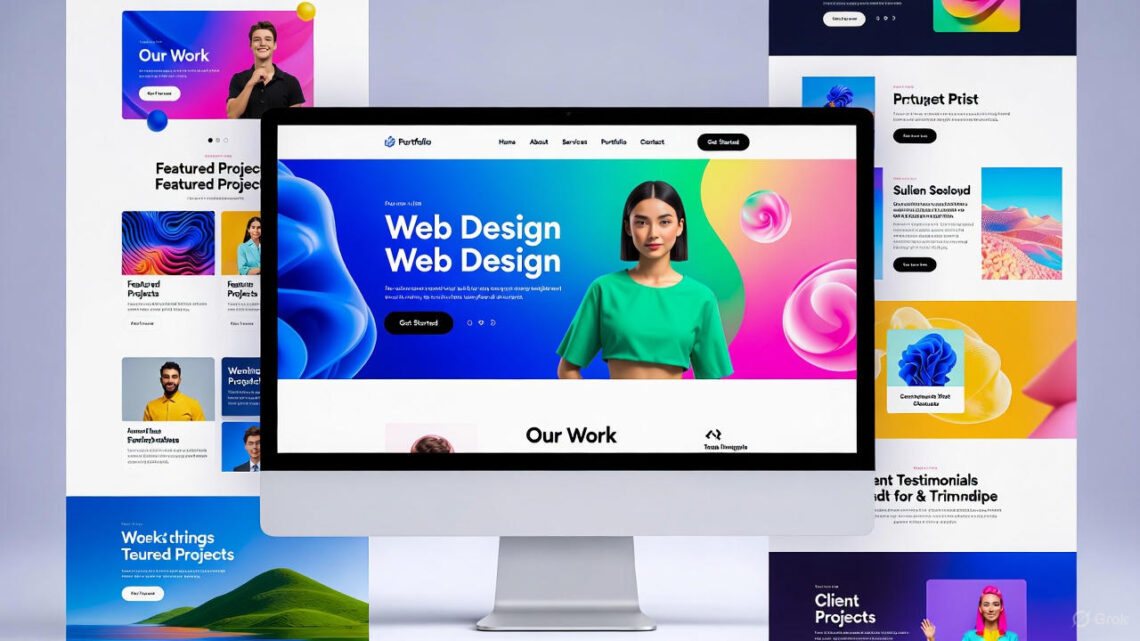
Website designing is making a website look pretty and work great. It is like drawing and building a cool house online. Everyone can learn it – even you!
Why Learn Website Designing?
A website is your home on the internet. You can share games, stories, pictures, or sell toys. Good design makes people smile and stay longer.
Start with a Big Idea
First, think what your website is about. Pets? Games? Family photos? Draw it on paper. A clear idea helps everything else become easy.
Pick Easy Tools to Build
You do not need to be a computer wizard. Use free tools like Wix, Google Sites, or WordPress.com. Just drag, drop, and play – like Lego blocks!
Choose Bright Colors
Colors make people happy or calm. Blue feels safe. Red feels exciting. Yellow feels sunny. Pick two or three colors that match your idea.
Use Big, Friendly Words
Write short sentences. Big letters are easy to read. Kids, moms, dads, and grandparents will understand fast. Never use hard words when easy words work.
Add Fun Pictures
A picture speaks a thousand words. Use your own drawings or free photos from Unsplash. Big, clear images make your website super cool.
Make Buttons Easy to Press
Buttons say “Click Me” or “Play Now”. Make them big and bright. Even a 3-year-old can tap them. Happy buttons = happy visitors.
Keep It Super Fast
Slow websites make people leave. Use small pictures and clean designs. Fast websites feel like magic to everyone.
Work on Phones and Tablets Too
Many kids use phones, not computers. Your design must look great on small screens. This is called “mobile-friendly” – very important!
Pick a Short, Fun Name
Your web address should be easy to say. Like “CoolKidGames.com” or “MyCatSite.com”. Short names stick in the brain forever.
Use Big Titles (Headings)
Headings are like chapter names in a book. They help people find what they want fast. We are using them right now!
Add Space – Don’t Crowd
Leave white space around words and pictures. It feels calm, like a clean bedroom. Crowded pages scare visitors away.
Choose Easy Fonts
Fonts are letter styles. Pick big, round ones. Comic Sans, Open Sans, or Roboto are perfect. Fancy cursive fonts are hard for little kids.
Test with Your Family
Show your website to mom, dad, brother, sister. Ask, “Is it fun? Is it easy?” Fix what they don’t like. Family testers are the best helpers.
Make a Simple Menu
A menu is the list at the top: Home – About – Games – Contact. Keep it short. Three to five buttons is perfect. Lost visitors leave fast.
Add a Search Box (Later)
When your site grows big, add a search box. People type “cat video” and find it in one second. It feels like magic for users.
Use Free Pictures and Icons
Sites like Pixabay and Flaticon give free art. Download smiling cats, stars, rockets – anything! Free stuff saves money and time.
Write for Little Kids Too
Use words like “play”, “fun”, “wow”, “yay”. Short lines. One idea per sentence. Everyone from age 3 to 100 feels welcome.
Learn a Tiny Bit of Code (Optional)
HTML and CSS are the secret languages. They are easier than you think! Just a few words make colors change. Start with one line – feel like a superhero.
Keep Colors Safe for Eyes
Never use neon on neon. Ouch! Light background + dark letters = happy eyes. Your visitors will love you forever.
Add Music or Sound (Careful!)
Soft background music can be fun. But always add an OFF button. Some people like quiet when they visit.
Make Forms Super Short
If you ask for name or email, ask only one thing. Long forms feel like homework. Short forms feel like a game.
Put Your Name on It
Add “Made by [Your Name]” at the bottom. It shows you are proud and real. People trust websites with real names.
Update It Often
Add new pictures or games every month. Fresh websites feel alive and exciting. Old websites feel sleepy.
Share with Friends
Tell school friends and family. Post the link on safe kid sites or family chat. More visitors = more smiles.
Stay Safe Online
Never share your address or phone. Ask a grown-up before posting pictures. Safe websites are the happiest websites.
Free vs Paid Tools
Free tools are great to start. Later you can buy a custom name like “YourSite.com”. Both ways make awesome websites!
Colors Have Feelings
Green = calm and nature Orange = friendly and warm Purple = creative and magic Pick the feeling you want!
Never Stop Learning
Watch free YouTube videos for kids about website designing. New tricks come out every day. Learning is the biggest adventure.
You Are a Designer Now!
Look – you just learned the main secrets! Start your website today. Make it bright, fast, and fun. The internet is waiting for your magic!
Conclusion & Strong Call to Action
Website designing is easy, fun, and open to everyone – from age 3 to 103! You now know colors, tools, words, and safety tips. Grab a free tool, pick your idea, and build your first website today. Your amazing site can go live in one hour! Start right now – click a website builder and become a real designer! The world needs your beautiful website – go make it!